Blackberry Pearl Trackball Stopped Working!

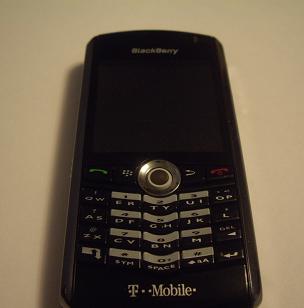 Blackberry Pearl
I am the owner of the Blackberry Pearl, and I must admit like many other Blackberry owners that I know, IT IS VERY ADDICTIVE! I actually got it about a year ago, I’ve had a few cases for it, one of which was the glove which it slides into, that was annoying because I would always forget to put it back in after a call, and then I lost it. The second was the belt holster, which I could definitely feel when I was getting a call rather than when it was in my pocket, and it was easier to put away after a call, but I felt like an idiot walking around with this thing sticking out of the side my body, and I would usually get in the way of what I was doing (I know I am picky). So forget the cases, I just left it in my pocket.
Unfortunately for me, with my dirty pockets and a blackberry with no warranty, one day while I am going through my calendar, my trackball stopped moving to the right! I tried pushing down hard and moving the ball, I tried moving it softly, I even tried blowing it with compressed air, but the most I would get is two or three icons to the right. I was able to live with it for a few weeks, by just dialing numbers, but after a while I was fed up and just had to fix it. After looking at the unit a little more, and playing with the trackball some more, I realized the trackball can easily be compared to those old computer mice that used a ball to move the cursor. I had one, and it stopped working as well, I had to take out the ball and clean the mechanisms on the inside to get it working again, but I never really knew how it got so dirty. Anyway, I figured it needed a good and proper cleaning, here’s what I did:
*** I DO NOT TAKE RESPONSIBILITY FOR ANY DAMAGES DONE TO YOUR DEVICE
***ANYTHING YOU DO TO YOUR BLACKBERRY, DO AT YOUR OWN RISK!
Tools required: Small flat-head screwdriver, a pin, and a cotton swab with alcohol
1. Power Off
Turn off the power of your Blackberry device, by holding down the red ‘End Call’ key on the keypad for a few seconds.
2. Removing the Silver Ring
Around the trackball is a silver plastic ring, which is held in place by clips on the left, right and bottom of the ring. By placing the screwdriver or your fingernail in the bottom left corner on the outside of the plastic ring, and pulling the ring up, you should easily get the clip on the left and the bottom out. The clip on the right might be a bit hard, you need just to pull it up carefully, trying not to bend or break the clip.

Taking off silver ring Without the silver ring 3. Taking out the trackball unit
Once the clip is out simply turning your Blackberry upside down and shaking a little should pop out the trackball unit. Make sure your hand is there to catch it!
4. Opening the trackball unit
First take note on the bottom of the unit the silver lead going down from the middle, it is important, I will keep the metal lead pointing down throughout the rest of the steps. ***The metal ring keeping the unit together is very brittle, if you bend it too much it WILL BREAK!*** Using a pin or screwdriver, on the left and right side of the unit, lift the metal down and out of the clip keeping it in place. On the top and bottom of the unit the metal ring is held in place by a butterfly clip wrapping around the plastic, using the pin or screwdriver pull the metal out and down. Without taking off the metal, the plastic top should come off, which would expose the ball and tracking wheels.
Dirty Trackball Clean Trackball 5. Cleaning
Remove the plastic top keeping everything in place, and take note of the position of the tracking wheels, the bottom wheel should have the black piece on the left, the left wheel should have the black piece on the top, the top wheel should have the black piece on the right, and the right wheel should have the black piece on the bottom. Using your swab with alcohol, clean off all the dirt from each tracking wheel, which can come out very easily, that’s why it is important to know how they go back in. Make sure you clean all around each of the tracking wheels.
How trackball goes in 6. Putting it back together
With all the tracking wheels in place, put the plastic cover back on, and reattach the metal to each clip. Make sure the metal butterfly clip is around the plastic cover on the top and bottom, and the plastic is through the metal opening on the left and right. With the unit securely closed, turn it over so the ball is on top with the metal lead still pointing down on the bottom; place it back in your Blackberry. Clip the plastic silver ring back in, with the leads on the left, bottom and right. Turn on your Blackberry and test it out!
Approximate time: 15 minutes
Should you break, loose, or find that some part is unusable, replacement parts can be located at BBRepairShop, they ship around the world.


hey
great step by step.
wish i had this when i had the same problem.
i managed to remove and clean the pearl a few times successfully.
just want to urge your readers to be very careful with the very flimsy metal ring that has the clips. it is a real pain to work with and once bent, it can be nearly impossible to manage.
good news is that complete trackball housings can be purchased online for like 8 dollars. i had to go this route once and having a new one made the phone work perfect.