XRap 0.7 – Wizard update

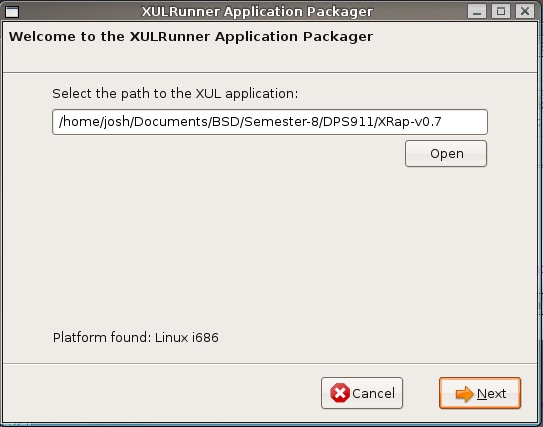 It finally seems that I found a UI that works! I managed to mash together both the Windows and Linux packager, into a non-linear wizard. All the functionality is basically the same, Windows will use WiX to create an msi, and Linux will use autotools to create a tarball, and soon for Mac i’ll be using a Mozilla perl script to create a .dmg file.
When the wizard is started, it scans the system to get what platform it is working under, this will determine which page the wizard will go to next, and what scripts to run. But before I get ahead of myself, the first page will ask the user to select where the application to be packaged is located. I’m using the FilePicker dialog to get the end-user to select which folder is a XUL application, is makes it easy because the FilePicker will return the correct path format no matter what platform XRap is running on.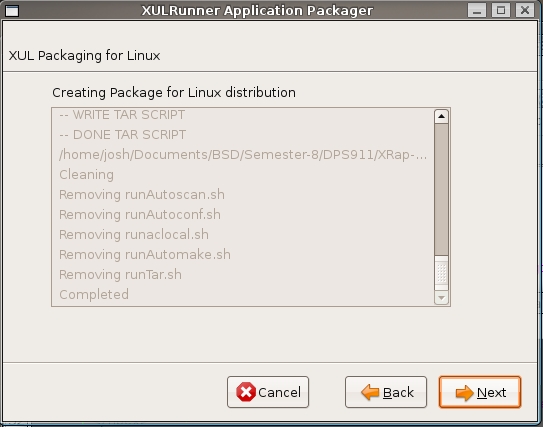
On the second page, it will matter which platform XRap is running on, because this is where the platform-dependent scripts will run to package the application for deployment. As soon as the page is loaded, the script should start. I just basically created three separate pages for each platform, and depending on what platform is scanned on the first page, the wizard will go to that page. I have still been trying to get the progress bar to work, but it just seems to start and never stop, and the status box on the second page needs to be more informative.
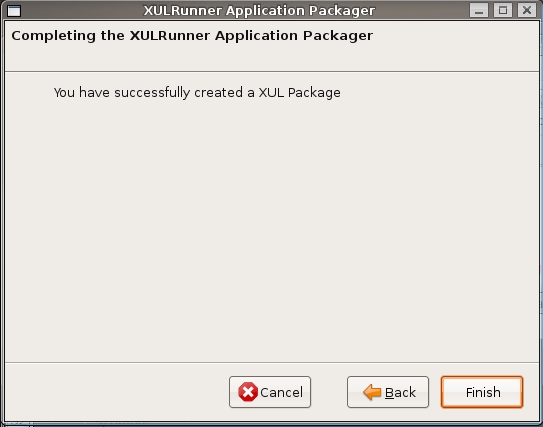
The final page is just a ‘successful completion’ page, so that the user knows that the application was packaged succesFinally once the packager is complete, there is just a final completion page, just for accepting that the sfully. I have an ‘error’ page, but I’ll have to refactor certain functions to return a false when there is an error.
More from the workshop
GOTO Conferences Talk – User Interface Techniques
How to Design Great APIs – Parse Developer Day 2013

hmm.. XRap is starting to look rather cool, and I saw that post about DMG’s, wouldn’t it be cool though if you could make XRap be able to create DMG’s, EXE’s, and Other Formats of packages from any operating system? As in, you don’t need to have Mac OS X to create a DMG.
I think this would be immensely useful, and would take a lot of the hassle out of packaging applications. I mean, you could every just do it as check boxes:
Select Operating Systems to create packages for:
[x] Mac OS X
[x] Linux (ubuntu, fedora, etc)
[x] Windows (XP, Vista, 2000, #7)
Then it’d just create each package, ready for deployment to any operating system you choose.
These are just a few thoughts that came to me, some might already be planned, others not, but still.
– Micheil.