Styling Google Maps: Aligning for a Better UX

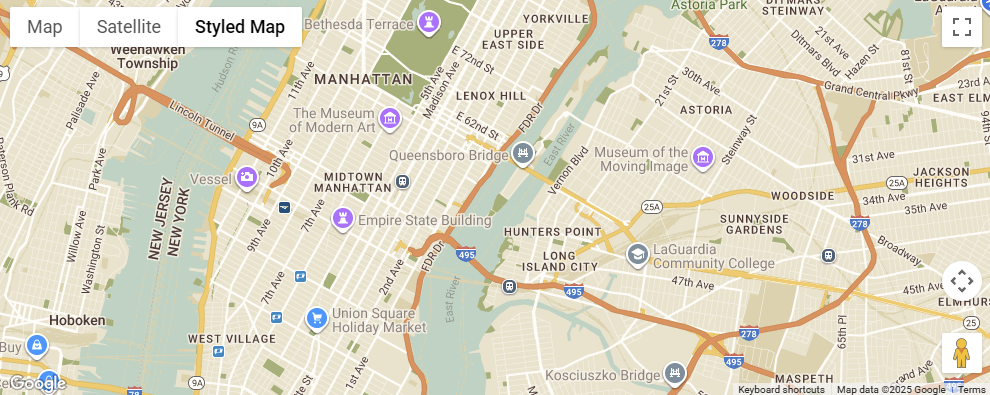
Styling Google Maps to perfectly match your website or application’s branding. This isn’t just about aesthetics; it’s a critical step in creating a truly professional and cohesive user experience. By customizing your maps, you can reinforce brand identity, improve usability, and make a lasting impression on your users. Let’s dive into the how-to and the why.
Why Styling Google Maps is Crucial for Branding and UX
Aligning your Google Maps with your website or application’s visual identity is a strategic move that delivers significant benefits for your brand and users.
Enhanced SEO and Local Presence: While direct SEO benefits are tied to your Google Business Profile, a beautifully integrated and helpful map can increase user engagement and time on page. This improved user experience can positively influence your site’s overall search ranking. By providing a clear, branded map with accurate location information, you enhance your local SEO presence and make it easier for customers to find your physical location.
Cohesive User Experience: A well-styled map seamlessly integrates with the rest of your design, creating a fluid and professional experience. An unstyled, default map can feel jarring and disconnected, breaking the user’s immersion. When the map’s color palette, typography, and visual hierarchy align with your brand, it feels like a native part of your application, not an embedded third-party tool.
Reinforces Brand Identity: The map becomes a canvas to showcase your brand’s personality. Whether you have a dark theme, a minimalist design, or a vibrant color scheme, styling the map allows you to reinforce these elements. This visual consistency builds trust and recognition, making your brand more memorable to the user.
Improved Readability and Usability: Styling isn’t just about making things look good; it’s about improving function. You can de-emphasize less important map features (like parks or bus stations) and highlight crucial ones (such as your business location or a specific event venue). This reduces visual clutter and makes it easier for users to find the information they need, directly improving the map’s usability.
How to Style Google Maps
Styling Google Maps has become more flexible and powerful than ever, primarily through Cloud-based Maps Styling and JSON styling.
- Cloud-based Maps Styling: This is the modern, recommended approach. It allows you to create and manage map styles directly within the Google Cloud console. You can customize various map features—such as roads, landmarks, points of interest, and water—by adjusting their color, visibility, and density. The real benefit is that once you publish a new style, it updates instantly across all platforms (web, Android, iOS) without requiring a code change. This is a game-changer for maintenance and a significant time-saver for developers. To get started, you create a Map ID, associate a map style with it, and then implement that Map ID in your application’s code.
- JSON Styling: This is the more traditional, code-based method. You create a JSON object that defines the style for different map elements. This JSON is then passed to the Google Maps API when you initialize the map. While it offers a high degree of control, it requires you to manage the style within your codebase. For larger projects or frequent style updates, the cloud-based approach is often preferred due to its centralized management and ease of deployment.
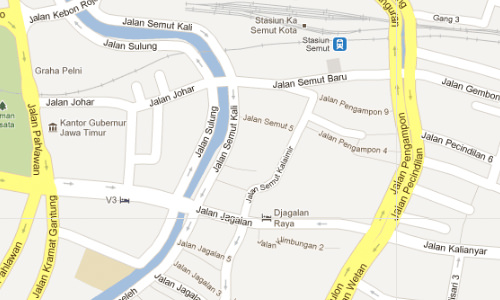
Styling a Google Map is a powerful and valuable task for any frontend developer or designer. It’s a small detail that makes a big impact, transforming a standard widget into a fully branded and functional part of your digital presence. By following the modern, cloud-based approach, you can deliver a superior user experience that is both visually appealing and highly performant. A well-styled map isn’t an afterthought; it’s an essential component of a thoughtful, user-centric design strategy.
More from the workshop
realistic rain effect: rainyday.js
Leave a reply