Kinora – Film Discovery Field Guide
Building Kinora: finding films by where and when they take place
Most film discovery tools sort along the same two or three axes. Genre gives you a shelf label — thriller, drama, science fiction — broad enough to be nearly useless once you’ve already decided you want something. Streaming services sort by whatever they’re licensed to show you this month. The mood quizzes that arrived over the last few years ask how you’re feeling and hand back a list that could have come from anywhere. All of them answer a question about category or availability, and none of them answers the one I keep asking, which is about setting: where does this story take place, and when?
To be fair to the shelf labels, they do a real job — genre is a useful first cut, cheap to assign and universally understood. But it’s a fact about the film as a product, like its runtime or its release year, and it says almost nothing about the world the story happens in. That gap is where my actual taste lives.
The thing I remember about a film is where it was
Think about how you describe a film to someone who hasn’t seen it. You rarely lead with the genre. You say it’s the one set in Tokyo, or the one on the boat, or the one in a small town in winter where nothing good happens. Place and era are how films get filed in memory, and they carry a lot of information: a story set in 1970s New York has a texture that a story set in present-day New York simply doesn’t, and both are different again from four people in a desert with no way out.
That’s the search I wanted and never found. Every film has a setting, and it isn’t a matter of opinion — it just isn’t recorded anywhere you can filter on.
The vocabulary turned out to be the product
Reading a plot summary and deciding where a film is set is exactly the kind of work a language model is good at, so the pipeline pulls each film’s text, classifies it against a fixed list of allowed values, and writes a versioned record. Cheap, fast, and — I assumed early on — the hard part.
It wasn’t. My first pass had a premise category, and a third of the catalogue came back labelled neo-noir: westerns, samurai films, ghost stories, political satires, all of it. The model wasn’t malfunctioning. Its own notes kept saying “neo-noir is the closest fit but imperfect,” which is a polite way of telling me my list had a hole where western and whodunit and espionage should have been. Given a category that doesn’t exist, a classifier files things under the nearest neighbour and moves on. The tagging isn’t the asset; anyone can tag films with a model for pocket change. The controlled vocabulary is the asset, and it’s the part that took months.
Ten layouts before a single filter
With the data taking shape, the question became what to build on top of it. I made ten standalone HTML pages first, each a different direction — a funnel, a dashboard, a Swiss grid, an editorial stack — and each running on the real tagged catalogue rather than placeholder text. The trick that made this cheap was inlining the data straight into the page, so each one opens by double-clicking, no server and no build step. Ten clickable versions I could sit with side by side, rather than ten screenshots to argue with myself over. The last, which I’d called Picturehouse, is the one the shipped design grew out of.
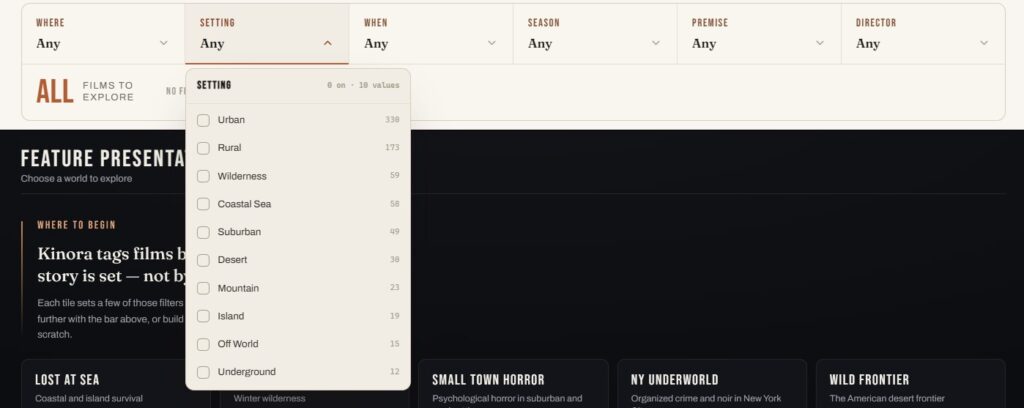
What those studies actually settled wasn’t the look. It was the behaviour, and one rule mattered more than the rest: selecting a value must never make its siblings disappear. If you pick Tokyo, the count next to Paris shouldn’t drop to zero — it should tell you how many films you’d get if you added Paris to your selection. That means each value’s count is calculated against the other filters only, which sounds like a detail and is the whole difference between a filter that invites exploration and one that feels like it’s closing doors.
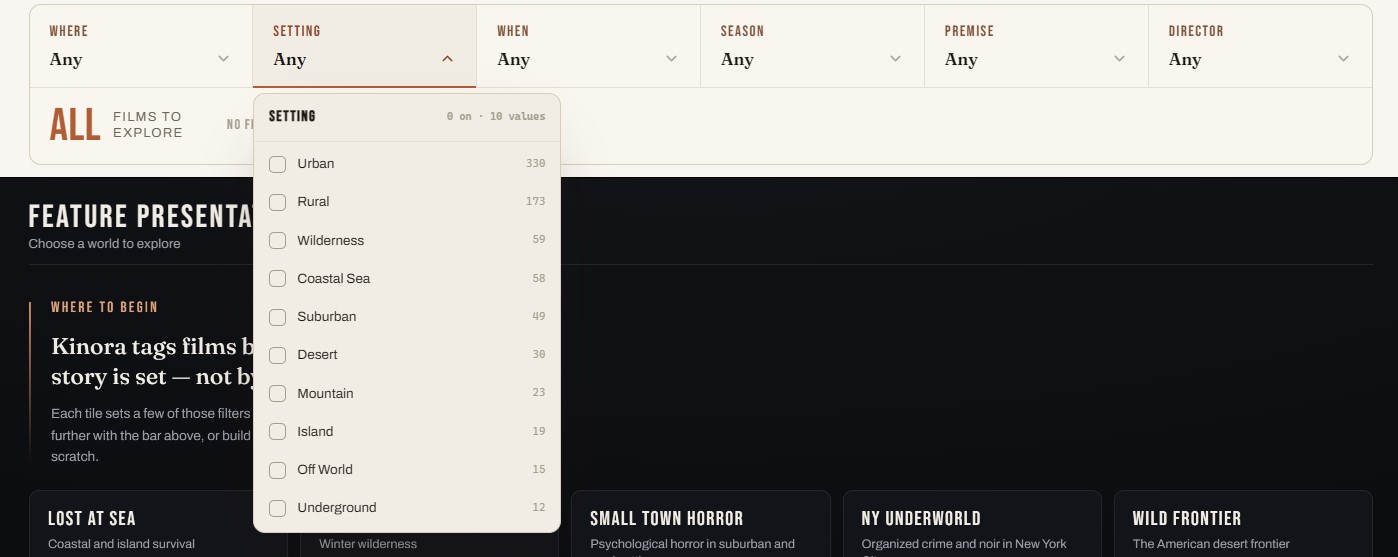
Two rules followed from that. Values with fewer than two films are hidden entirely, so you can never click into an empty room — except when searching people, where a director with a single film in the catalogue should still be findable by name. And the count updates on every click, because watching a few hundred films fall to eleven is the moment the tool explains itself.
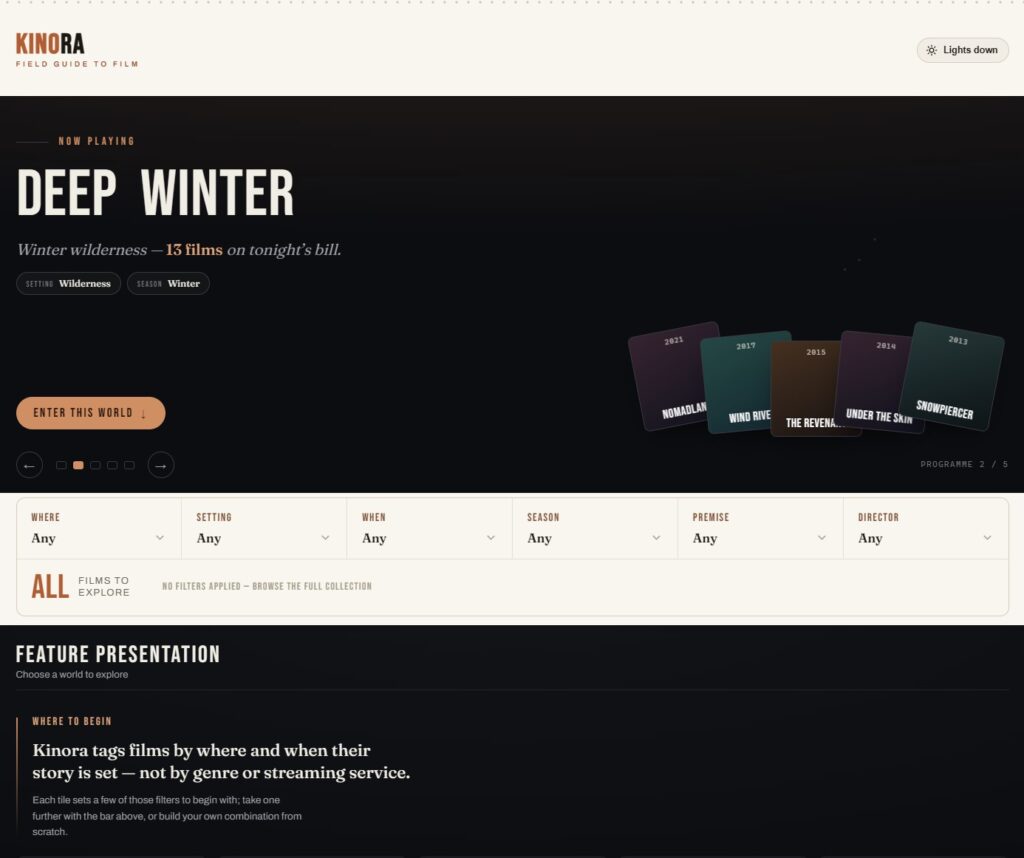
Feature Presentation, and the problem of the first click
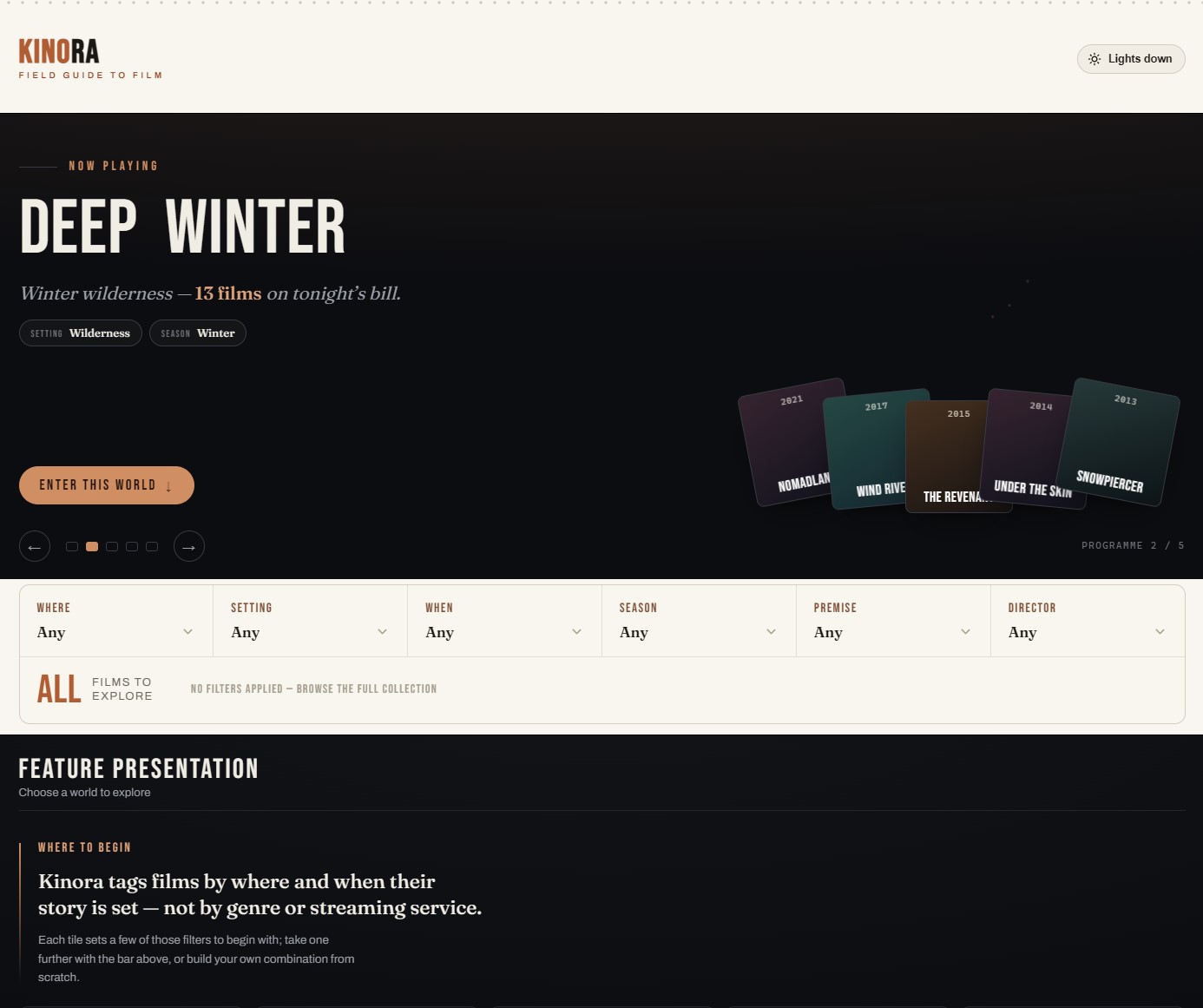
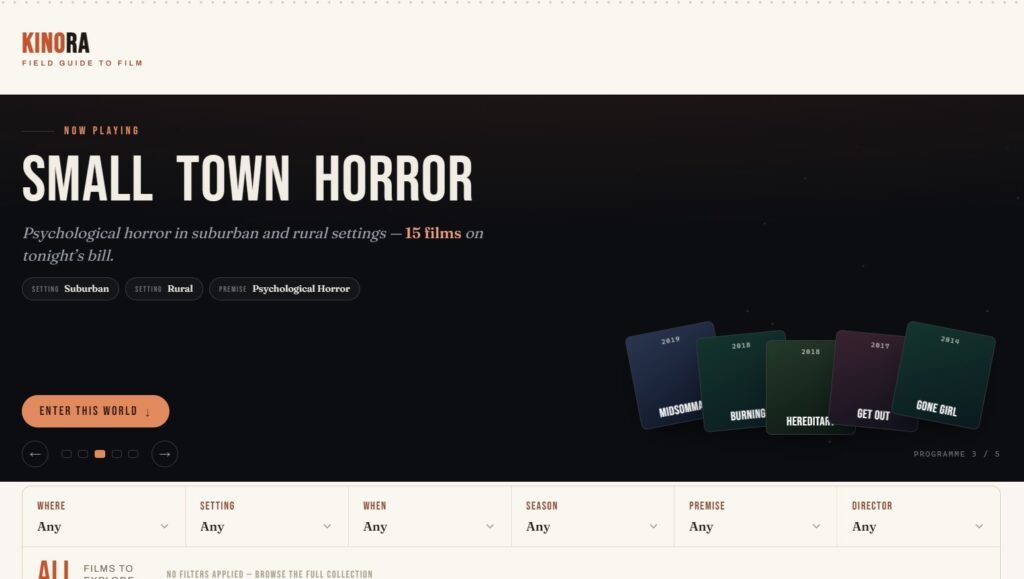
The hardest screen was the one before anything happens. A filter bar with nothing selected is a blank stare: the tool is asking a question the visitor doesn’t yet know how to answer.
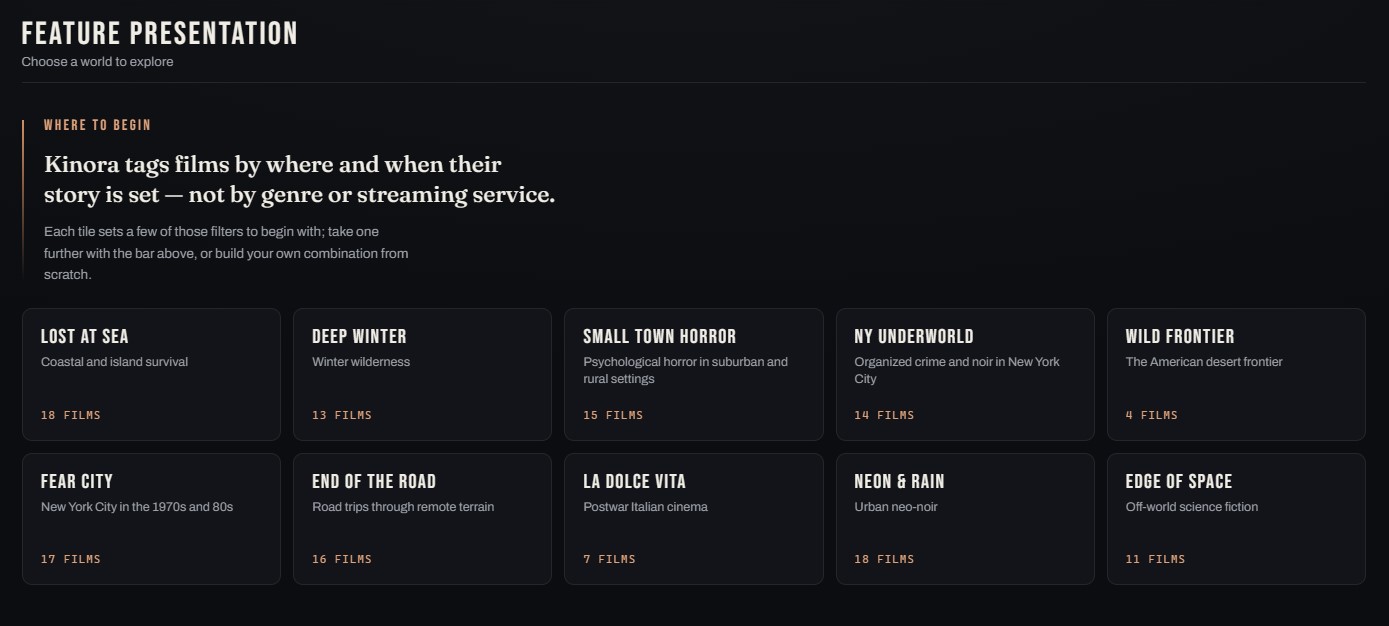
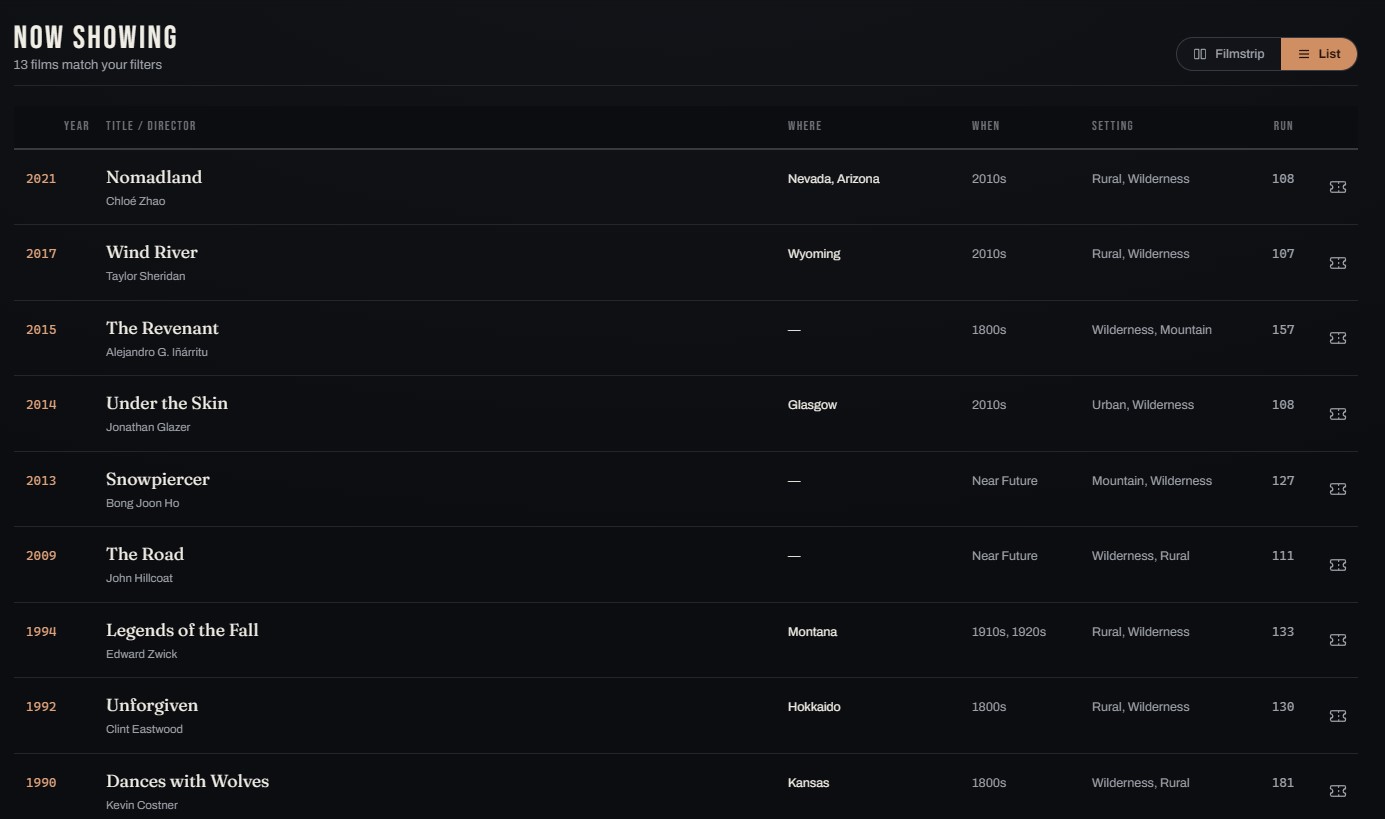
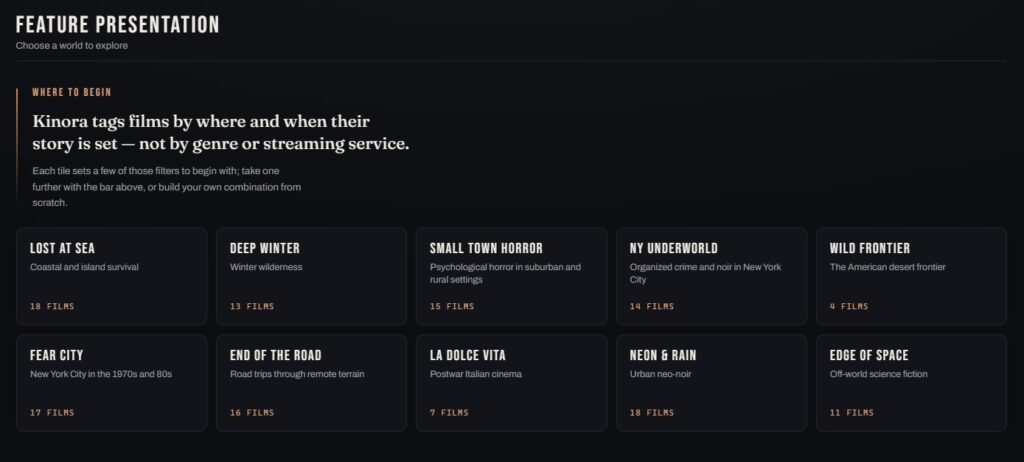
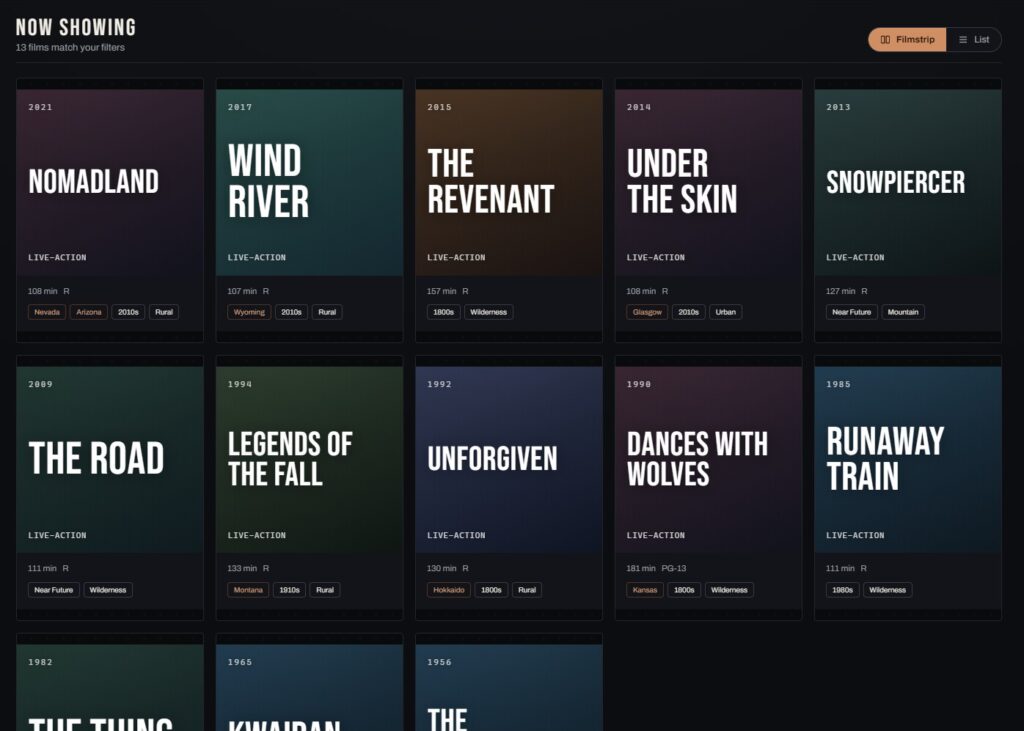
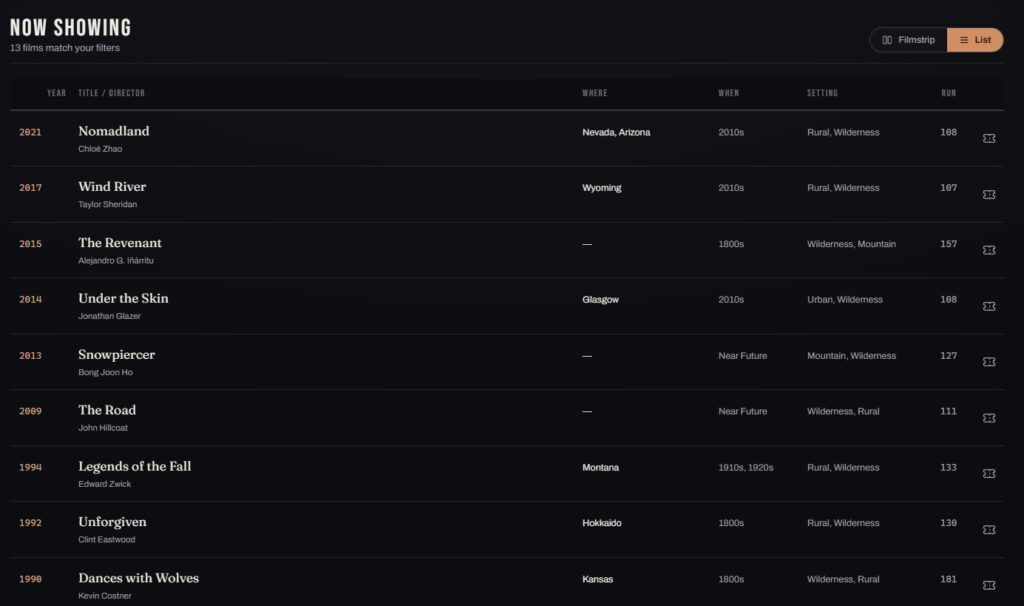
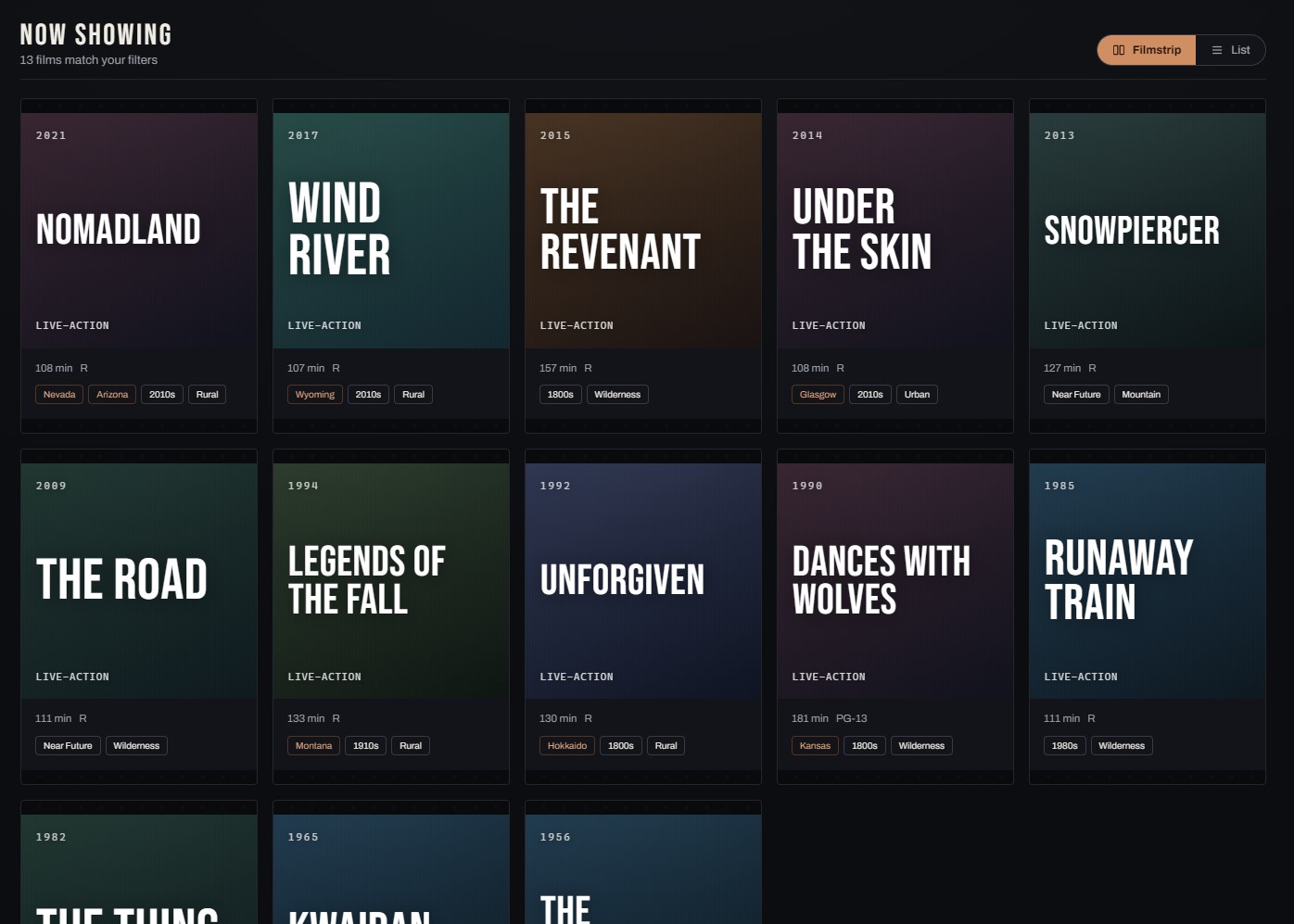
My first attempt tucked a few suggested combinations into the header as small pills. They were too easy to miss, and sitting up in the chrome they read as navigation rather than as an invitation. So I moved them into the body of the page as tiles under a heading, Feature Presentation — the results heading swaps to “Now Showing” once you’ve actually filtered something, and to “Your Watchlist” when you’re looking at saved films.
Each tile is a named, hand-verified combination of two or three filters: ’70s Noir. Lost at Sea. Neon & Rain. Deep Winter. The Long Con. Every one was checked against the real data when I wrote it, so no tile opens onto a thin or empty result. And a tile doesn’t hand you a fixed list — it loads its filters into the bar, so you land somewhere interesting and can immediately push further, drop one, or swap the city. It’s a starting position, not a destination.
The set rotates: ten are drawn each day from a curated pool by a shuffle seeded on the date, so everyone sees the same bill and tomorrow’s is different. Each tile shows its own film count, but never the size of the catalogue — a line I drew early and have kept.
The watchlist, and the one thing I kept out of the URL
The watchlist is deliberately plain: save a film from a card, the detail popup, or its own page, and it’s stored in your browser. No accounts, no sync, no server. The toggle to view it stays hidden until you’ve saved at least one film, which neatly removed the need to design an empty state at all.
The one decision worth recording is what I didn’t do. Every other piece of state in Kinora lives in the URL — your filters serialise into the query string, so any view you build is a link you can send someone. The watchlist is the single exception. A shared watchlist link would open against the recipient’s own saved films, which is to say an empty page, and they’d reasonably conclude the link was broken. Some state is worth sharing and some is only yours; the URL is a bad place to learn the difference.
What Kinora is
Kinora is a field guide to film: a few hundred hand-verified titles you can filter by where and when their stories take place. The name comes from a real device from around 1896, a hand-cranked flip-book viewer for watching moving pictures at home — more or less what the site is for. A field guide identifies things by habitat, region, and season, which turned out to be exactly the axes I’d been filtering on all along. You can find it at watchkinora.com.
Why it was worth building
This started as a personal itch rather than a market opportunity, and I’d rather be honest about that. I wanted a tool that didn’t exist, and the metadata to build it wasn’t sitting anywhere I could use, so the only way to get the tool was to make the data first. That’s a slower project than it sounds, and the interesting part was never the model — it was working out what the categories should have been in the first place.